Plugin: Image Resizer
A downloadable project
Image Resizer — Batch Image Scaling Plugin for EmoteShowcase
Important: Image Resizer is a plugin for EmoteShowcase — a Windows desktop application. It is not standalone software. You must own EmoteShowcase to use this plugin. If you do not own it yet, purchase it here first.
What Is Image Resizer?
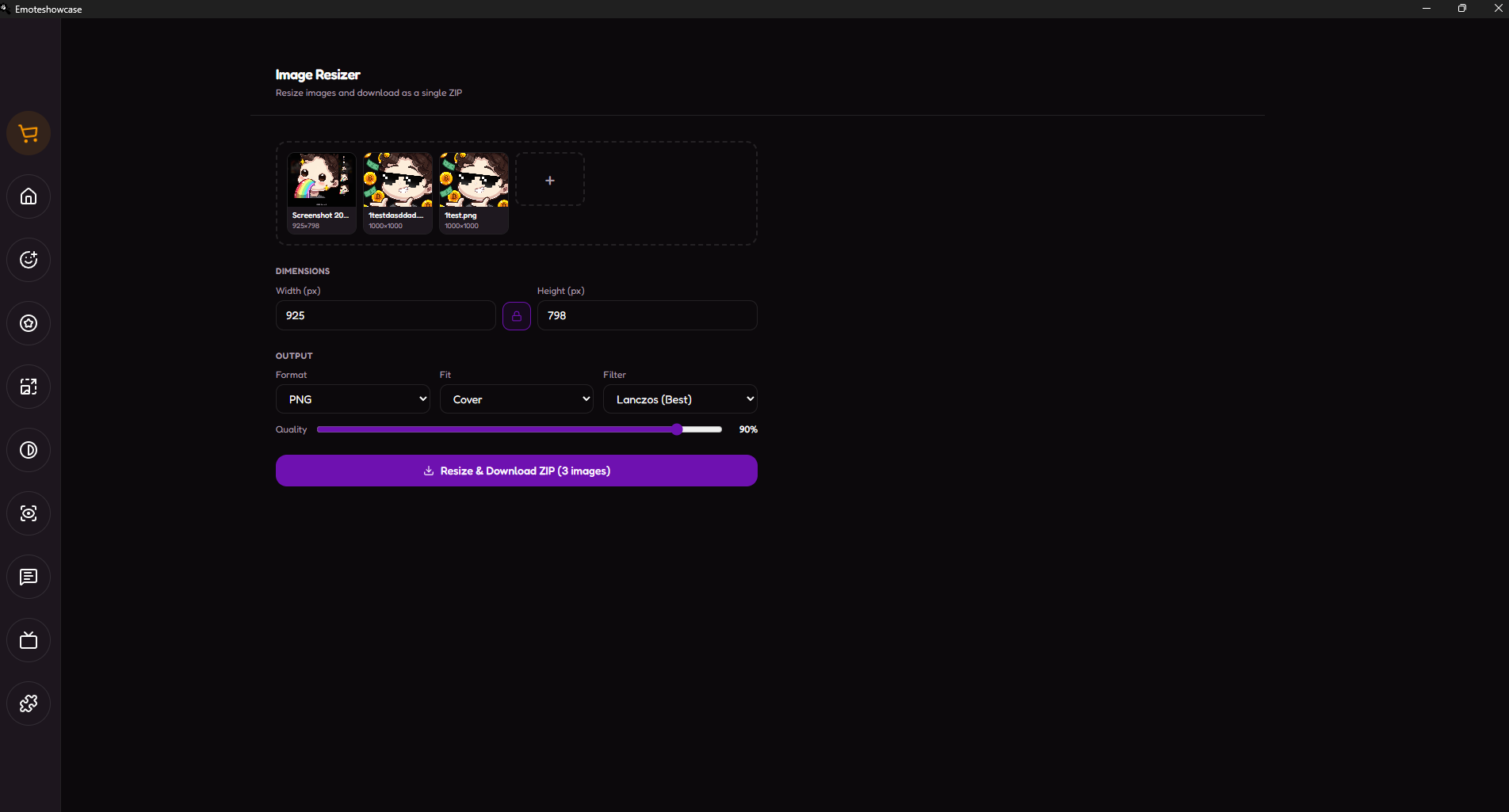
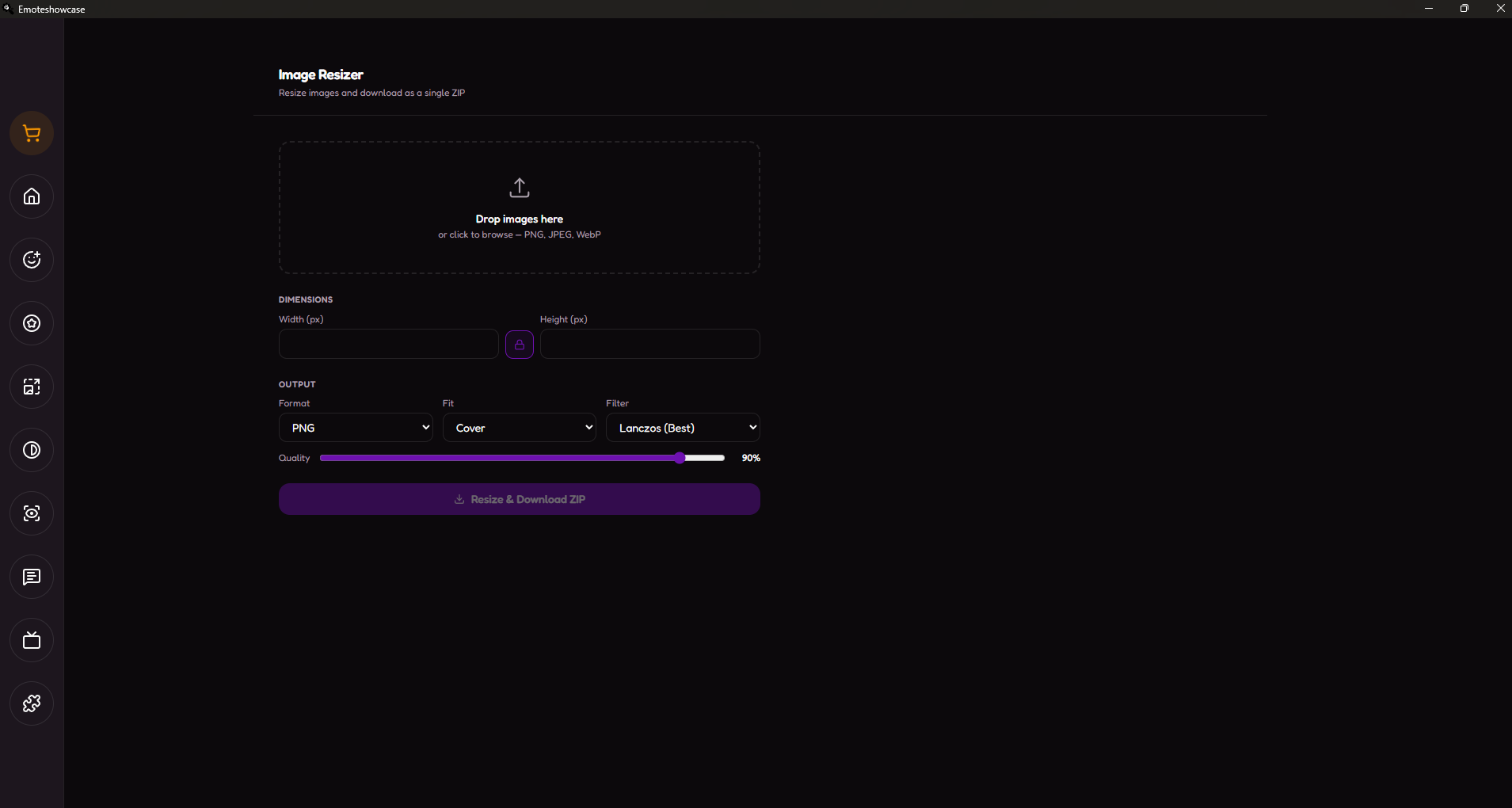
Image Resizer is a fast, general-purpose batch scaling tool that converts any number of images to the exact dimensions you need and delivers them in a single organised ZIP file. Unlike the standard emote/badge presets in EmoteShowcase, this plugin gives you full manual control over width, height, output format, and resampling quality — perfect for thumbnails, panels, banners, overlays, or any custom asset that does not fit a fixed preset.
Key Features
Batch Processing
Drag and drop as many images as you like. Every file is resized with identical settings and packaged into one ZIP, ready to deliver. Add or remove images at any time before exporting.
Custom Dimensions & Aspect Lock
Set any width and height in pixels. Toggle the aspect-ratio lock to keep proportions intact while you adjust a single dimension, or unlock it for precise non-proportional sizing.
Multiple Output Formats
Export as PNG (lossless, transparency preserved), JPEG (smallest files), or WebP (modern, high compression). A quality slider lets you balance file size and fidelity for JPEG and WebP output.
Fit Modes
Choose how each image fills the target box — Cover (crop to fill), Contain (fit inside, no crop), or Fill (stretch to exact size). Get the framing you want without opening a separate editor.
High-Quality Resampling
Powered by Pica with selectable filters — Lanczos (Best), Lanczos (Fast), Mitchell, and Bilinear. Lanczos delivers crisp, artifact-free downscaling that keeps fine emote detail sharp even at small sizes.
Why Use Image Resizer?
- Total control: Any dimension, any format, any fit — not limited to fixed presets.
- Save time: Resize dozens of images in one click and get a single ready-to-send ZIP.
- Crisp results: Professional Lanczos resampling keeps your assets sharp at every size.
- Works offline: All processing is local. Your images never leave your computer.
- No subscriptions: Buy once, use forever. Updates are included with your EmoteShowcase license.
How to Get It
- If you do not own EmoteShowcase yet, purchase it on Itch.io (Windows only).
- Download and install the latest version of EmoteShowcase.
- Open the app and go to the Plugin Store from the toolbar.
- Find Image Resizer and click Buy Now — a purchase popup powered by Itch.io appears inside the app.
- Complete the purchase and download the plugin .zip file.
- Go to Plugin Manager, click Install Plugin, and select the .zip file.
- The Image Resizer view will appear in your tools. Start resizing.
Windows Security Notice: When you first run EmoteShowcase on Windows, you may see a SmartScreen warning that says "Windows protected your PC." This is normal for applications that are not digitally signed. Click "More info" then "Run anyway" to launch the application. This step is only required on the first run.
EmoteShowcase — Professional Emote & Badge Desktop Tools
jorgedevreact.itch.io/emoteshowcase
Purchase
In order to download this project you must purchase it at or above the minimum price of $2 USD. You will get access to the following files:
Leave a comment
Log in with itch.io to leave a comment.