Emoteshowcase | Emotes and Badges rescaler for Twitch, Discord and YouTube
A downloadable tool for Windows
EmoteShowcase — Professional Emote & Badge Desktop Tools
What is EmoteShowcase?
EmoteShowcase is a desktop application for Windows designed for emote artists who want to streamline their workflow. It provides 7 professional tools to manage, resize, and preview your emotes and badges — all in one suite.
- 🎯 100% Private — Your images never leave your computer
- ⚡ Works Offline — No internet required after installation
- 📦 Batch Processing — Handle multiple assets at once
- 📁 ZIP Export — Organized folders by resolution
Our Tools
⭐ Universal Rescaler
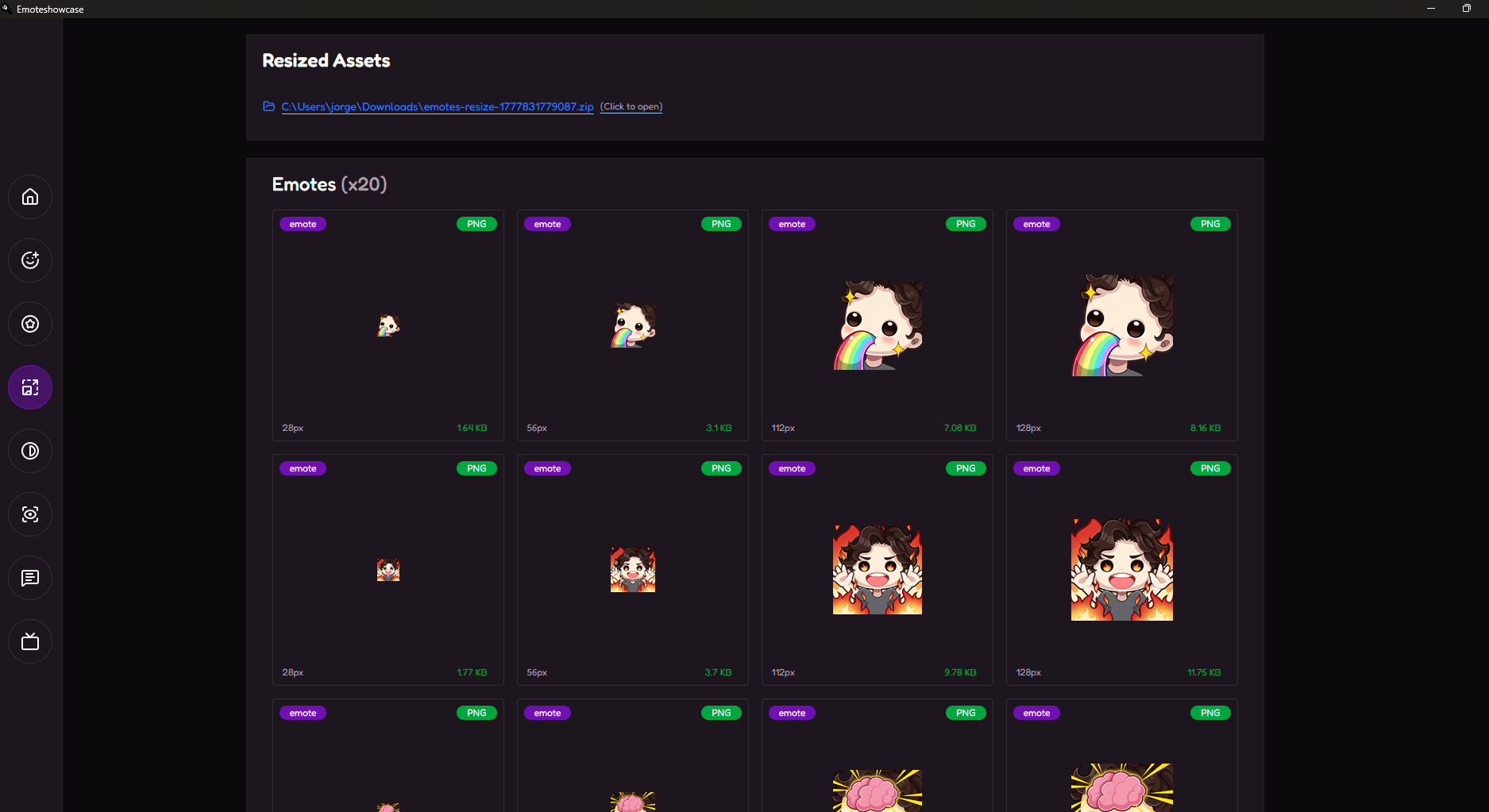
Our Star Tool. Batch resize your emotes and badges to all industry-standard sizes in one click. Export as a structured ZIP file organized by resolution (128x, 112x, 56x, 28x for emotes and 72x, 36x, 18x for badges). Perfect for quick turnaround on client work.
✦ Auto-ZIP Export
⭐ Preview Simulator
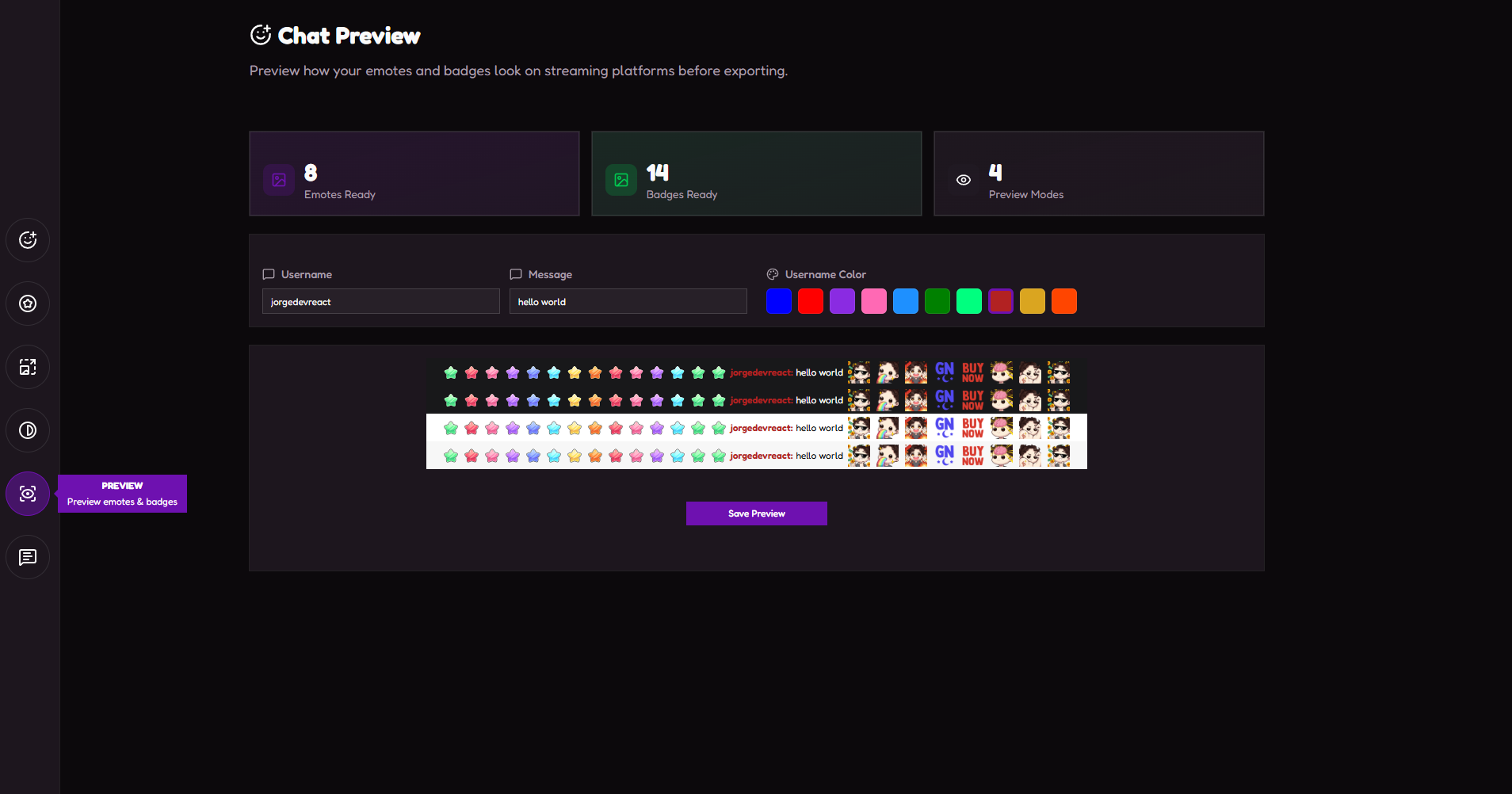
Our Star Tool. Test your emotes and badges in a realistic chat environment before delivery. Choose from multiple background colors, add custom usernames and messages, and download the preview as an image. Essential for client approvals.
✦ Downloadable Preview
⭐ Stream
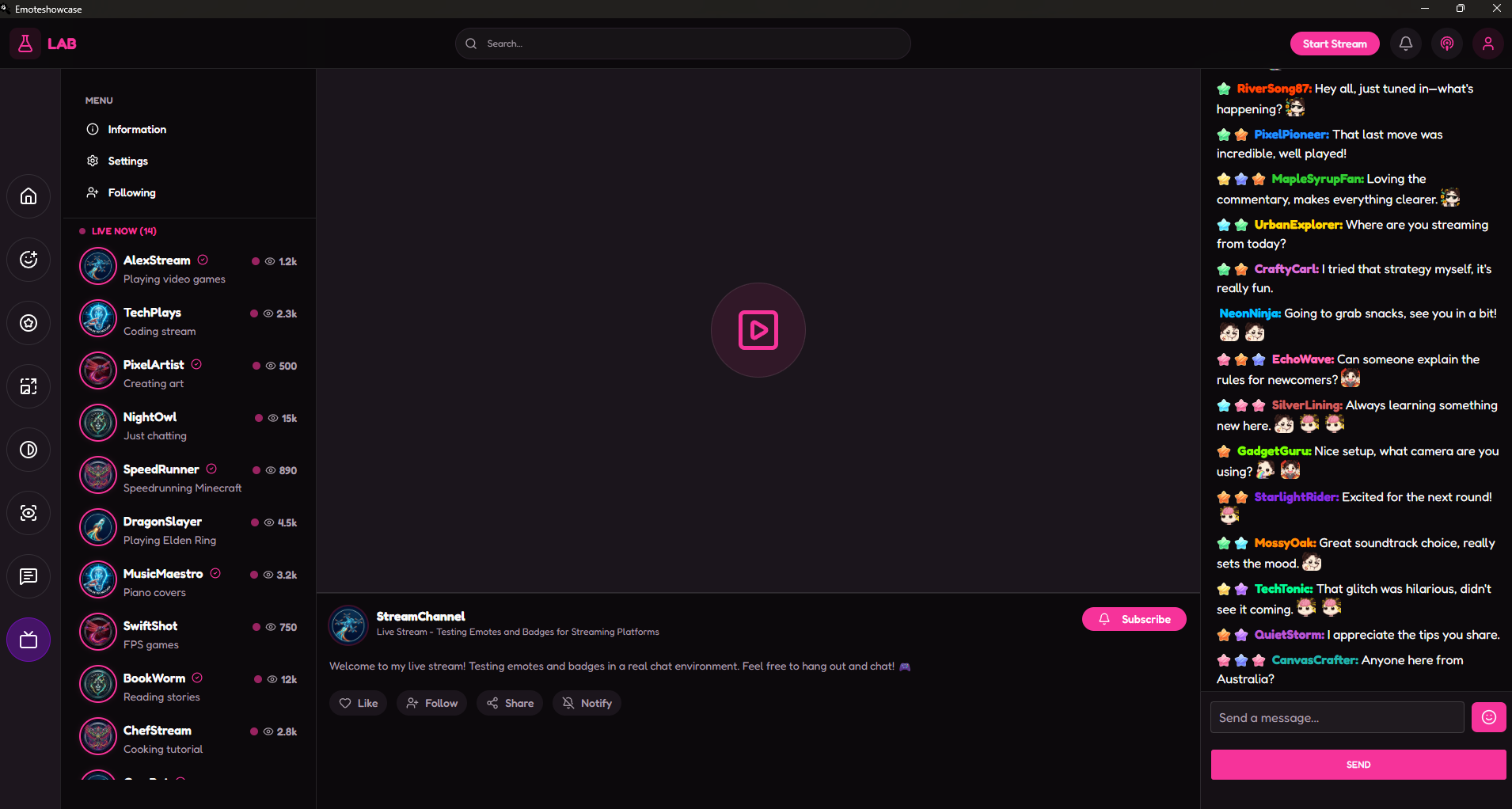
Our Star Tool. A live streaming simulation environment to test your emotes and badges in the most realistic context possible. Features a video placeholder area, a fake chat with your loaded emotes and badges appearing in real-time, and a sidebar of simulated streamers — exactly as your client will experience them.
- Video Area: Placeholder for stream content with channel info, subscribe button, and action buttons (Like, Follow, Share, Notify)
- Streamer Sidebar: 20 simulated streamers with Live / Offline indicators, viewer counts in K format, and following status
- Fake Chat: Real-time animated chat with your loaded emotes and badges, new message every 2.5s with random emotes inserted
- Message Input: Fake chat input with emoji picker dropdown showing your loaded emotes
✦ Full Streaming Environment Simulation
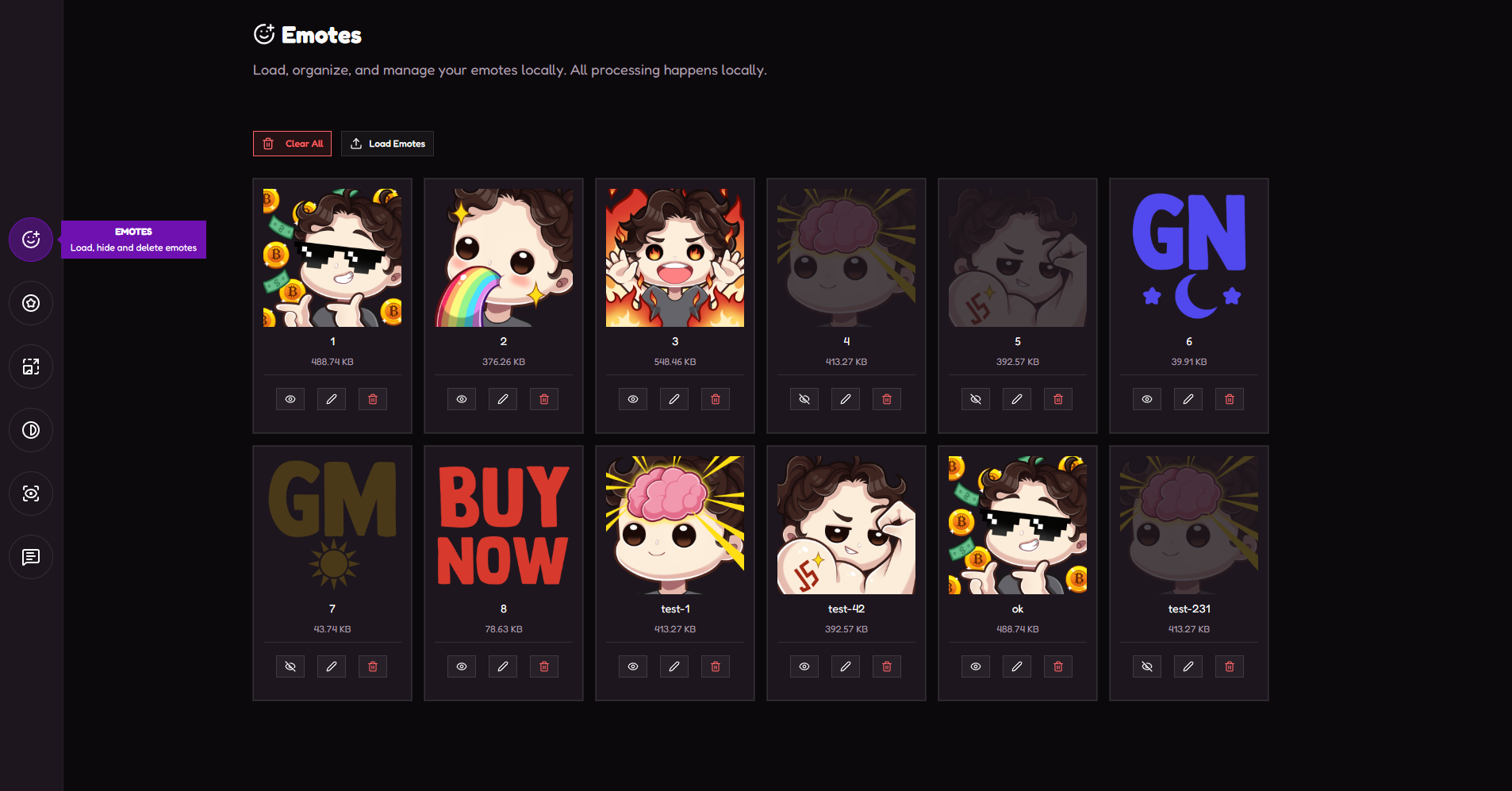
Emote Manager
Upload your emote artwork and organize them efficiently. Rename files, preview at different sizes, and ensure your files are ready for delivery. Supports PNG, JPG, and WEBP formats with automatic size validation.
✦ 4 Sizes (128x to 28x)
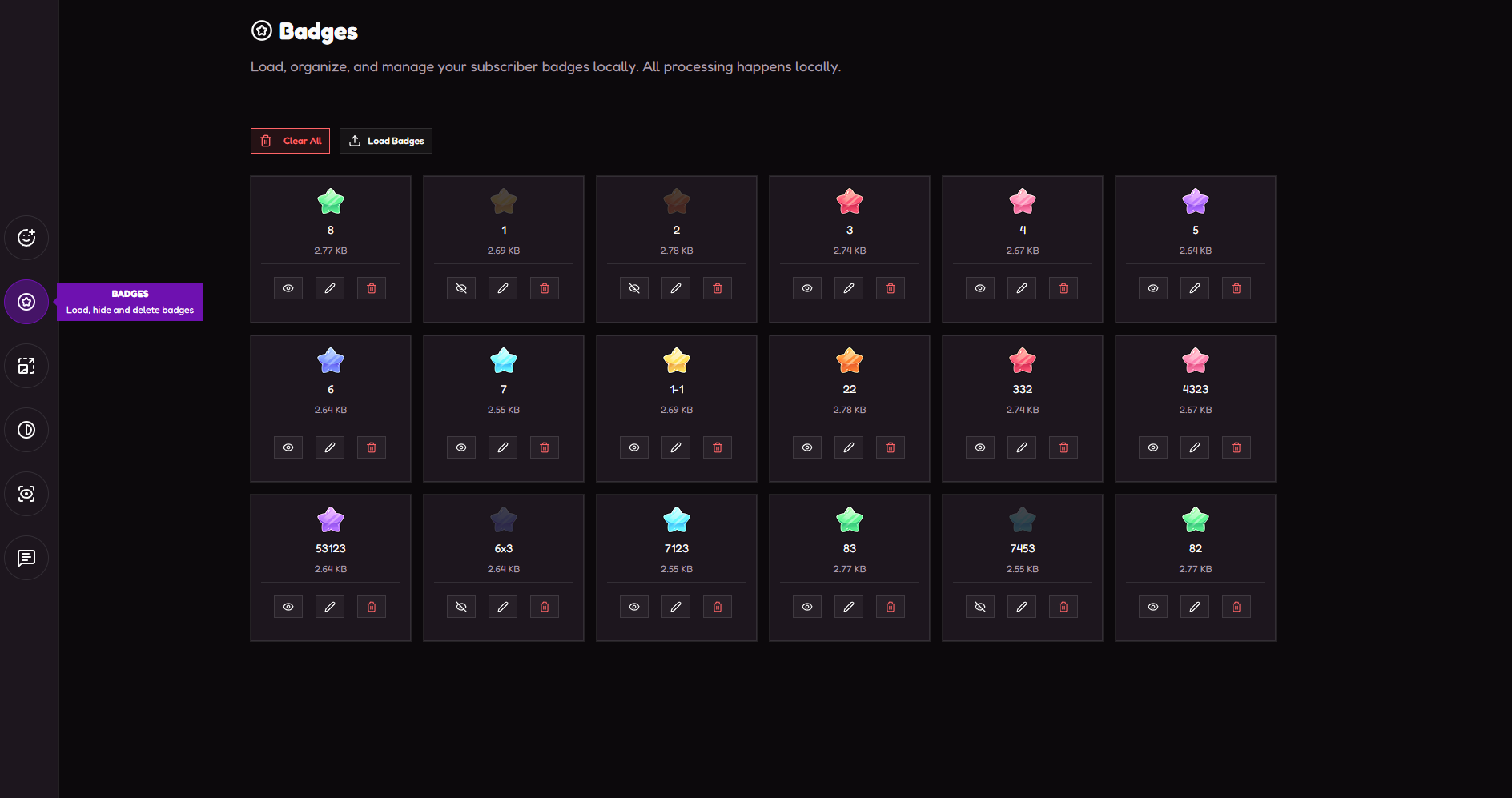
Badge Manager
Professional organization tool for subscriber badges. Manage filenames, toggle visibility, and preview badges in both dark and light mode. Includes instant thumbnail generation for quick client previews.
✦ 3 Sizes (72x to 18x)
Chat Simulator
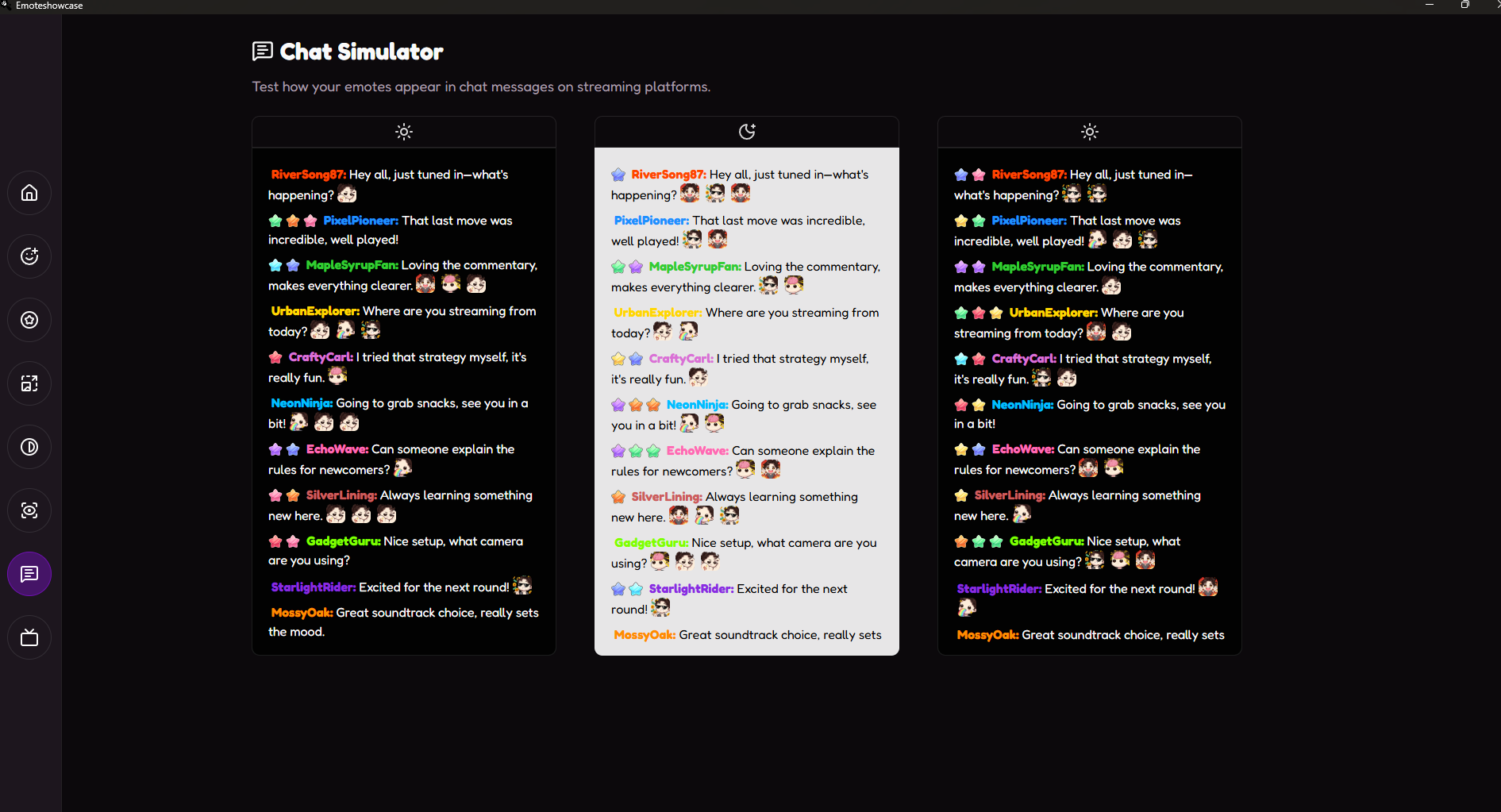
Visualize how your emotes look in a conversation flow. Simulate chat messages with your artwork, test badge display, and get a better sense of how everything looks together in a chat-style layout.
✦ Live Chat Mockup
Contrast Checker
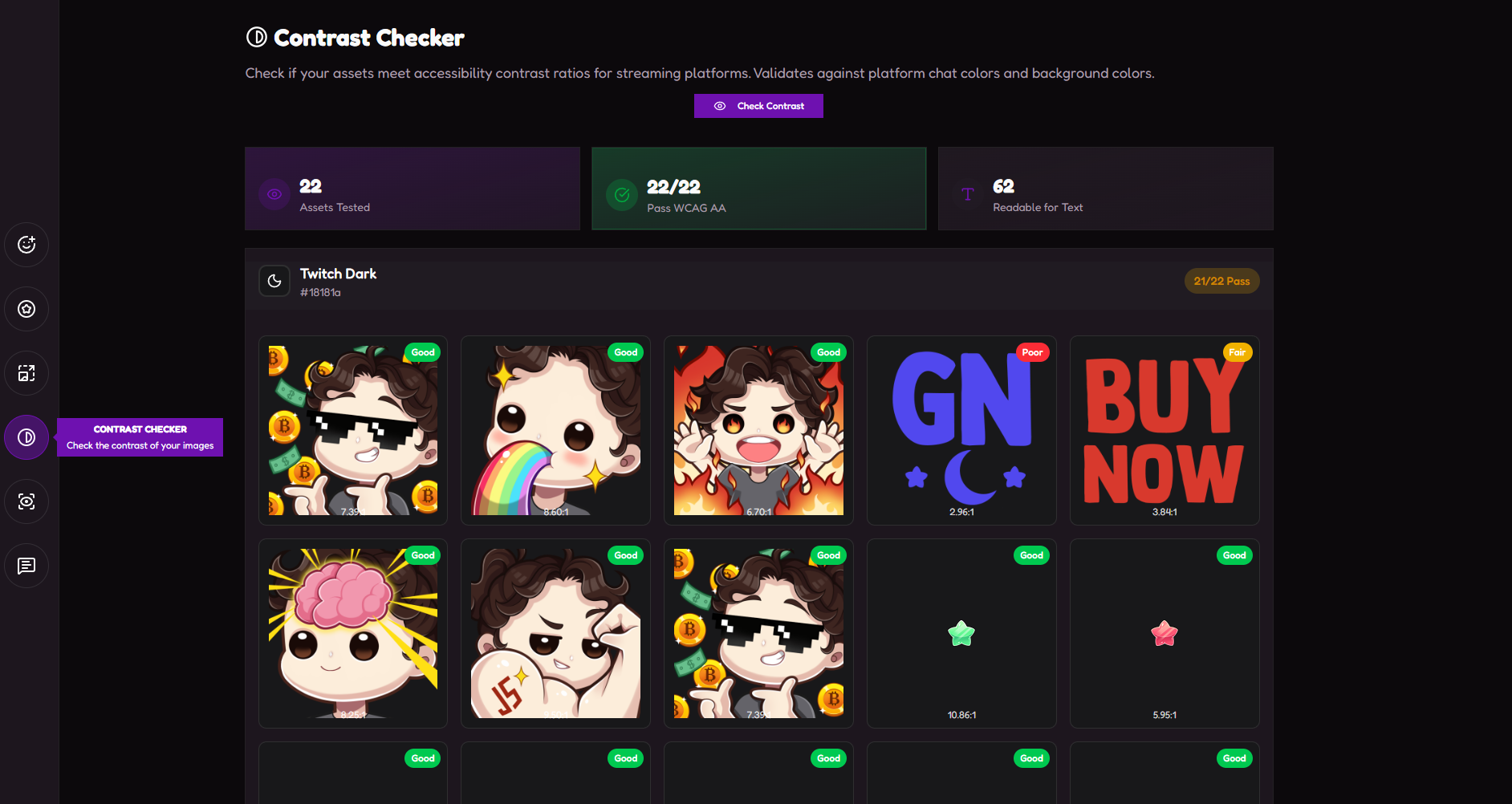
Ensure your designs are readable and accessible. Test emotes and badges against WCAG contrast guidelines to guarantee visibility across different chat backgrounds and themes. No more invisible emotes.
✦ WCAG Accessibility
Plugin System — Expand Your Toolkit
EmoteShowcase is built around a plugin system. Beyond the built-in tools, you can install optional plugins from the in-app Plugin Store to add brand-new capabilities — all running locally inside the app. Each plugin is a one-time purchase and works offline. Below are the plugins available today.
🖼️ Image Resizer
Batch-resize any number of images to exact custom dimensions with full control over format (PNG / JPEG / WebP), fit mode, and high-quality Lanczos resampling — all delivered in a single organised ZIP.
🎞️ GIF Resizer
Resize animated GIFs to any custom size while keeping every frame, the exact per-frame timing, and the loop intact — no flattening to a single frame. Powered by high-quality libvips scaling.
🎬 Animate Emote Frames
Build animated emotes from a sequence of PNG frames. Set the frame rate, pick a platform (Twitch / YouTube / Discord), and export GIFs in all standard sizes as a single ZIP — with a live preview before you export.
📄 Delivery Sheet
Generate a polished, branded PNG sheet showing all your emotes and badges at their original size and every standard export size — ready to send to clients for approval in seconds, no Photoshop layout required.
✨ Live Emote
Turn a single static image into an animated GIF — no frames to draw. Pick a motion preset (breathing, bounce, heartbeat, spin and more), fine-tune it in a real-time preview, and export a perfectly seamless loop. Rendered with high-quality libvips (sharp).
🪄 Emote Puppet NEW
Hand-animate a single static emote, step by step. Bend and stretch it with a pin & pull mesh, drop keyframes on a timeline, and Emote Puppet interpolates everything into a smooth, perfectly seamless looping GIF. Save your work as a .puppet project to continue or revise it anytime — ideal for client changes. Rendered with high-quality libvips (sharp).
Why EmoteShowcase?
- Save Time: Resize 20 assets in just 5 seconds
- Professional Output: Structured ZIP files ready for client delivery
- Privacy First: All processing happens locally on your computer
- Offline Ready: No internet connection required
- One-Time Purchase: Pay once, use forever. No subscriptions.
Purchase Details
One-time purchase • Lifetime access • Windows
* EmoteShowcase is a desktop application. Requires Windows.
More Information
Windows Security Notice: When you first run EmoteShowcase on Windows, you may see a SmartScreen warning that says "Windows protected your PC." This is normal for applications that aren't digitally signed. Simply click "More info" then "Run anyway" to launch the application. This step is only required on the first run — Windows will remember your choice afterward. This does not indicate any problem with the software; it's simply how Windows handles applications from independent developers.
Purchase
In order to download this tool you must purchase it at or above the minimum price of $20 USD. You will get access to the following files:
Development log
- 🛠️ UPDATE: Minor Interface Improvements87 days ago
Comments
Log in with itch.io to leave a comment.
I don't know if it's possible for both creators to see the new emblems for especial events featured as a bonus in this program in the future.
With the features currently available in the app, it is possible to load both regular badges and the new event badges in the same way. The only thing that matters is the order in which they are loaded.
If you have any other questions or need further clarification, please don't hesitate to ask through this channel.
If that id possible perfect, only a question there, the app adjust the file sise too?
It also features a series of Plugins, which are a kind of extra functionality that can be incorporated into the App for more specific tasks.
This app is exactly what I needed to optimize my workflow! I work fulltime as an emote and badge artist for Twitch, and resizing images used to be a real headache. But now, with this tool, everything is so much easier, and I have more free time for other projects. Thank you! <3