Plugin: Live Emote
A downloadable tool
Live Emote — One-Click Emote Animator for EmoteShowcase
Important: Live Emote is a plugin for EmoteShowcase — a Windows desktop application. It is not standalone software. You must own EmoteShowcase to use this plugin. If you do not own it yet, purchase it here first.
What Is Live Emote?
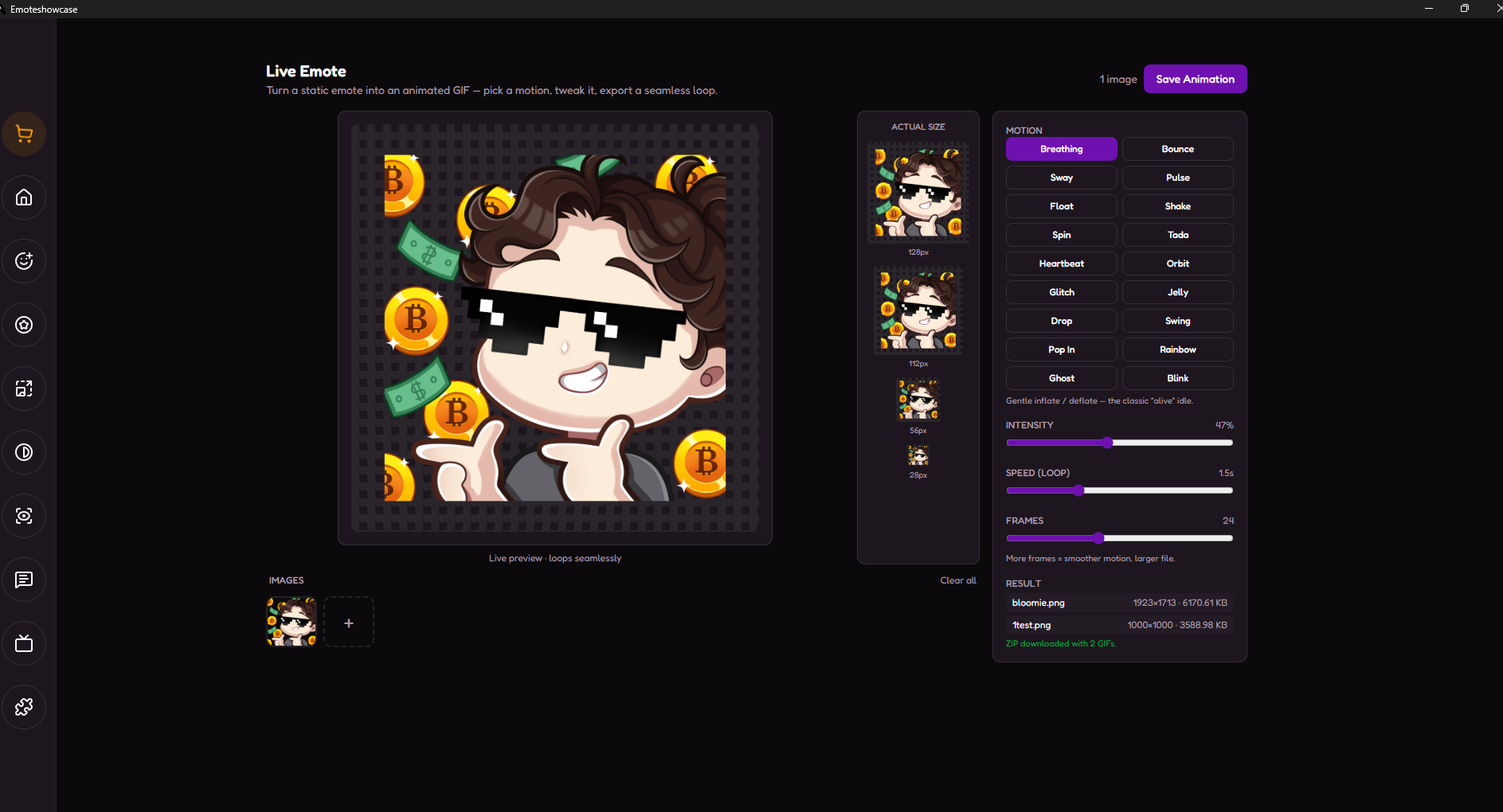
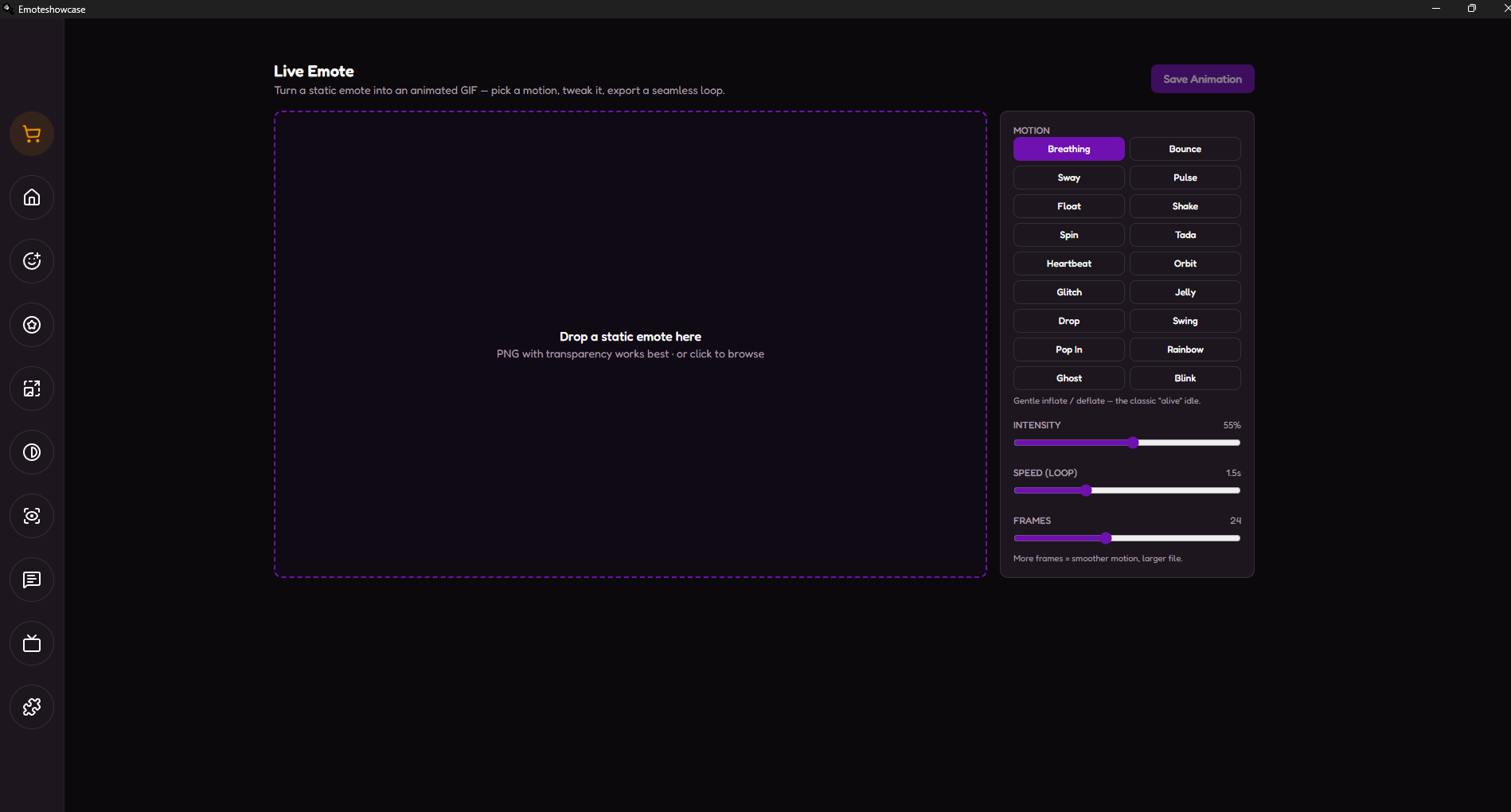
Live Emote turns a single static image into a polished animated GIF — with no animation skills and no extra frames to draw. Drop in an emote you already made, pick a motion (breathing, bounce, heartbeat, spin…), watch it come alive in a real-time preview, and export a perfectly seamless loop ready for Twitch and Discord. The motion is generated for you and rendered at high quality with the same libvips engine (sharp) the app uses for its core exports.
Key Features
Animate From a Single Image
No frame-by-frame work. Feed it one static PNG (transparency recommended) and Live Emote invents the whole animation for you — turning art you already own into animated emotes you can sell.
11 Motion Presets
Breathing, Bounce, Sway, Pulse, Float, Shake, Spin, Tada, Heartbeat, Orbit and Glitch — from subtle "idle" life to celebration pops and chaotic glitch effects. There's a vibe for every emote.
Real-Time Preview
See the animation loop live as you tweak it. Adjust Intensity, Speed and Frames with sliders and the preview updates instantly — dial in exactly the feel you want before exporting.
Perfect Seamless Loops
Every motion is built on periodic curves, so the last frame flows straight back into the first — no jump, no stutter. Your emote loops forever, smoothly.
Batch & ZIP Output
Drop in a whole set, apply a motion, and export them all at once. One image gives you a single .gif; several give you a ready-to-send ZIP. Each result shows its final file size.
Why Use Live Emote?
- Sell more from the same art: Offer animated versions of emotes you already drew — a whole new product tier with zero extra drawing.
- Save hours: What used to mean hand-animating frame by frame now takes seconds.
- No skills required: No timeline, no rigging, no keyframes — just pick a motion and a feel.
- Pro-quality output: High-quality libvips (sharp) rendering keeps your emote crisp at any chat size.
- Works offline: All processing is local. Your art never leaves your computer.
- No subscriptions: Buy once, use forever. Updates are included with your EmoteShowcase license.
How to Get It
- If you do not own EmoteShowcase yet, purchase it on Itch.io (Windows only).
- Download and install the latest version of EmoteShowcase.
- Open the app and go to the Plugin Store from the toolbar.
- Find Live Emote and click Buy Now — a purchase popup powered by Itch.io appears inside the app.
- Complete the purchase and download the plugin .zip file.
- Go to Plugin Manager, click Install Plugin, and select the .zip file. Restart the app once so the renderer loads.
- Open the Live Emote view, drop in a static emote, pick a motion and export.
Windows Security Notice: When you first run EmoteShowcase on Windows, you may see a SmartScreen warning that says "Windows protected your PC." This is normal for applications that are not digitally signed. Click "More info" then "Run anyway" to launch the application. This step is only required on the first run.
EmoteShowcase — Professional Emote & Badge Desktop Tools
jorgedevreact.itch.io/emoteshowcase
Purchase
In order to download this tool you must purchase it at or above the minimum price of $4.99 USD. You will get access to the following files:
Leave a comment
Log in with itch.io to leave a comment.